Today, across email and spreadsheets
- Onboarding done differently by every team member
- Requests arriving by email, Slack, text and phone
- Status answers that mean scrolling through old threads
- Mornings lost to chasing clients for the same information
If onboarding changes depending on who runs it, and every status question means scrolling through old emails, this is the path out. StellaJourney takes a client from sign-up to finished work without anything slipping.
The shift
StellaJourney doesn’t add work. It removes the work you’re already doing to manage the mess.
The flow
You set the process up once. After that, every client follows the same clear path.
Start from a template or build your own: an onboarding checklist, a request workflow, an approval process. Lay out the steps, the questions to ask, and the files to collect, in the order they should happen. We call each of these a journey, and you only build it once.
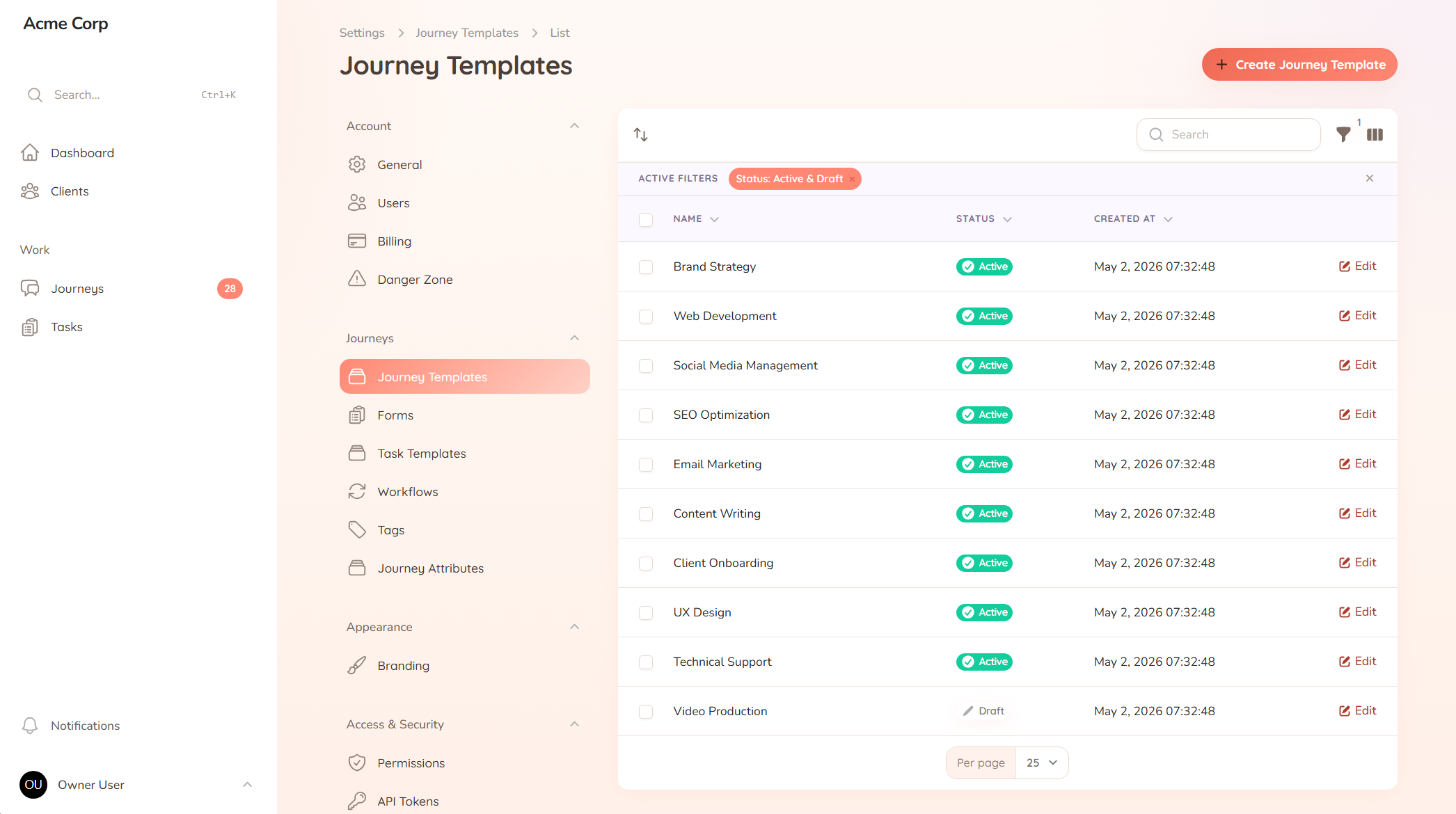
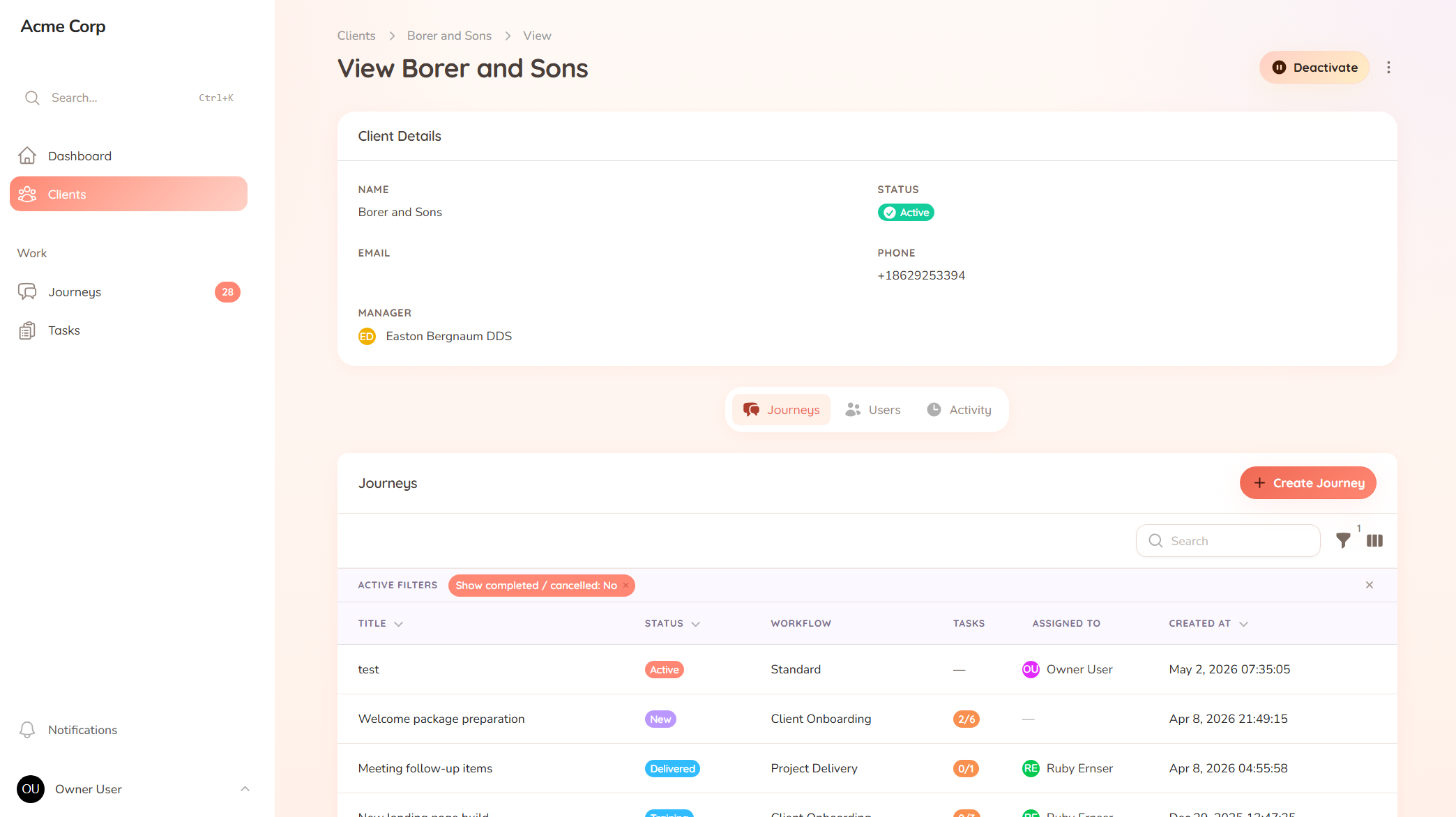
Pick the journey, assign it to a client, and send the invite. They log in to a portal with your branding, see exactly what is needed from them, and start at step one. No "here is how this works" email, no training call.
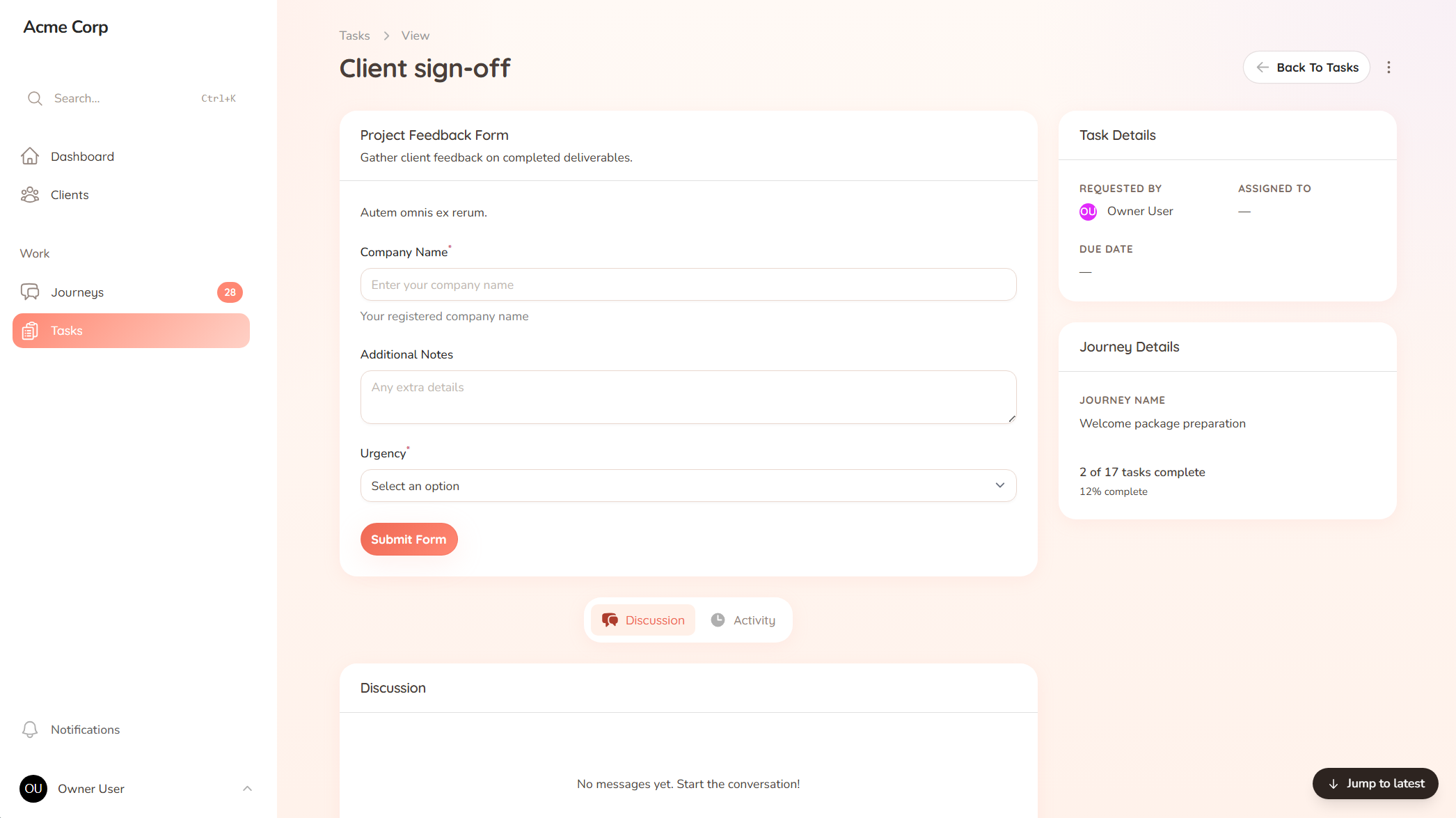
Each task tells the client exactly what to do, so they are not digging through an inbox to remember what you asked for. They fill in forms, upload files, and mark work done, one clear step at a time. When something is outstanding, they are prompted directly on the task.
When you need a client to approve something, you ask for it on the deliverable itself. They approve or send it back with a note, and the decision is recorded against the work. No more "did you ever approve that?" emails, and no wondering which version was signed off.
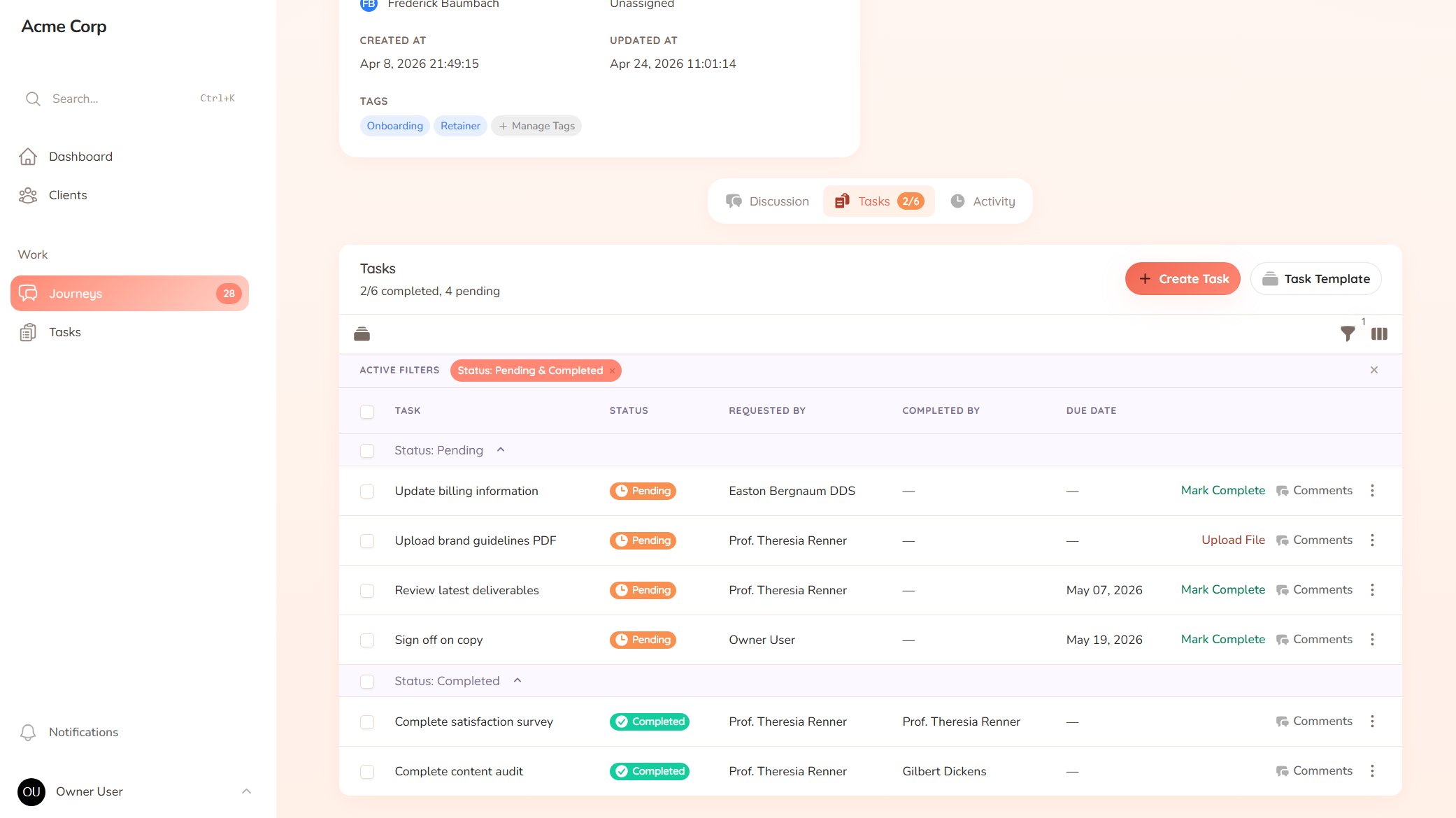
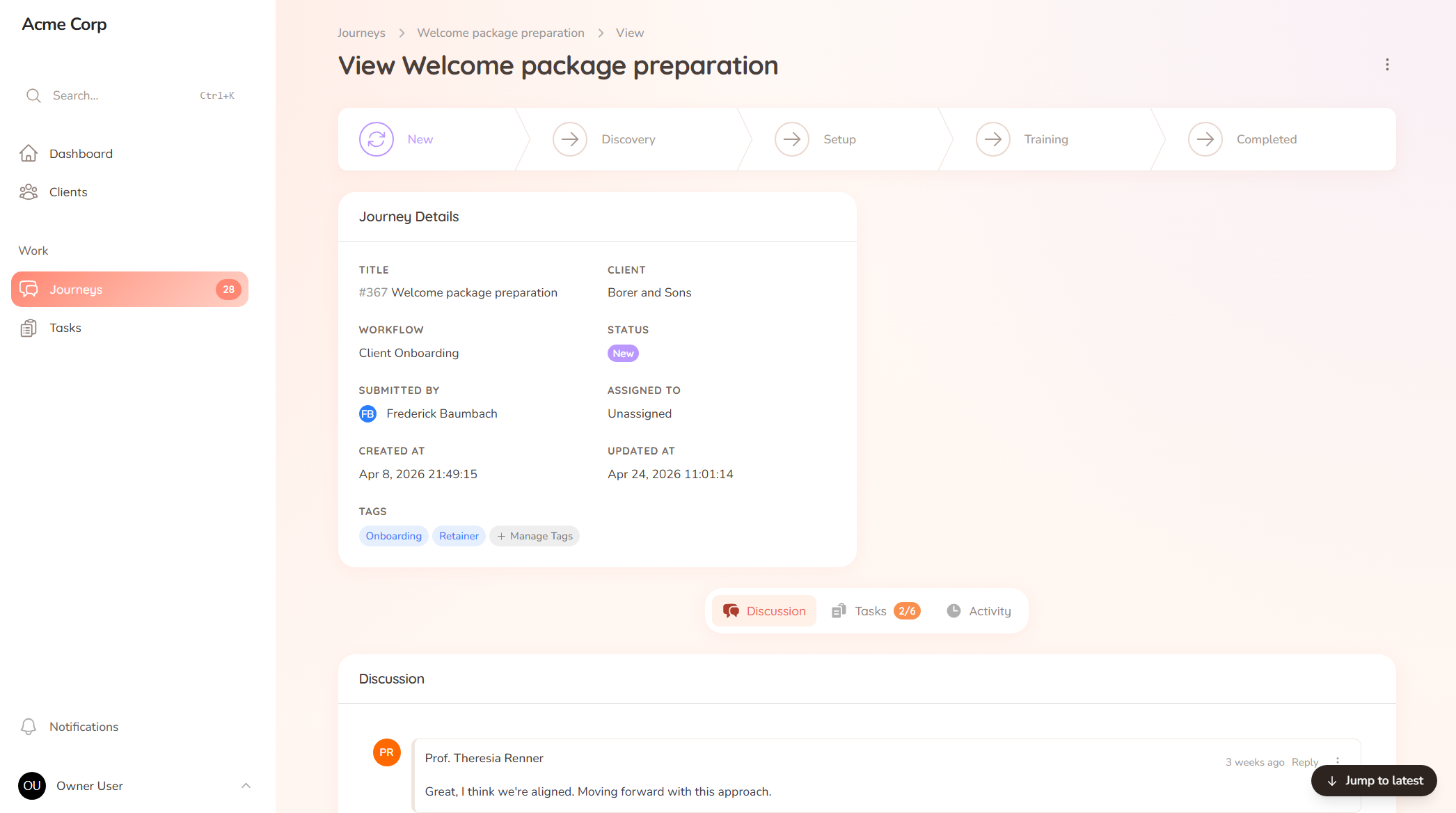
Your dashboard shows the whole picture: which clients are moving, which are stuck, and who is waiting on what. When a client asks "what’s the status of X?", you answer in seconds instead of scrolling through 40 emails. Nothing sits half-finished without someone noticing.
A closer look
Sign-offs are where work usually stalls. A deliverable sits in an inbox, the client forgets, and a week later nobody’s sure if it was approved. StellaJourney keeps the decision attached to the work.
Ask
Request approval right on the deliverable, so there’s no separate email to lose.
Decide
The client approves, or sends it back with a note explaining what to change.
Record
The sign-off is logged against that exact version, so the history is never in doubt.
What you get out of it
The journey runs the process, so a new hire onboards a client the same way you would. Consistency without you policing it.
Open the dashboard and see every client’s progress. No status meeting required, no guessing which onboarding has stalled.
Clear next steps, prompted on the task. Clients spend less time confused and you spend less time explaining.
Files, answers, messages and approvals stay attached to the work, so the context is there when you need it.
Before you ask
You can start from a template and have your first journey ready in an afternoon. Assign it to a real client the same day. There is no setup project, and no implementation fee.
Clients use StellaJourney because it is simpler than the alternative. Instead of searching their inbox for your last message, they open the portal and see exactly what they need to do. It saves them time too.
No. StellaJourney is built for the relationship between your business and your clients, not for managing your internal team. It starts after the sale, when onboarding begins, and runs through to delivery.
Flat pricing, no per-seat fees. You pay based on how many active clients you have, not how big your team is. Start with a 30-day free trial, no credit card required.
Set up your first journey, invite a client, and see how it feels.