Use case
Reusable client onboarding templates
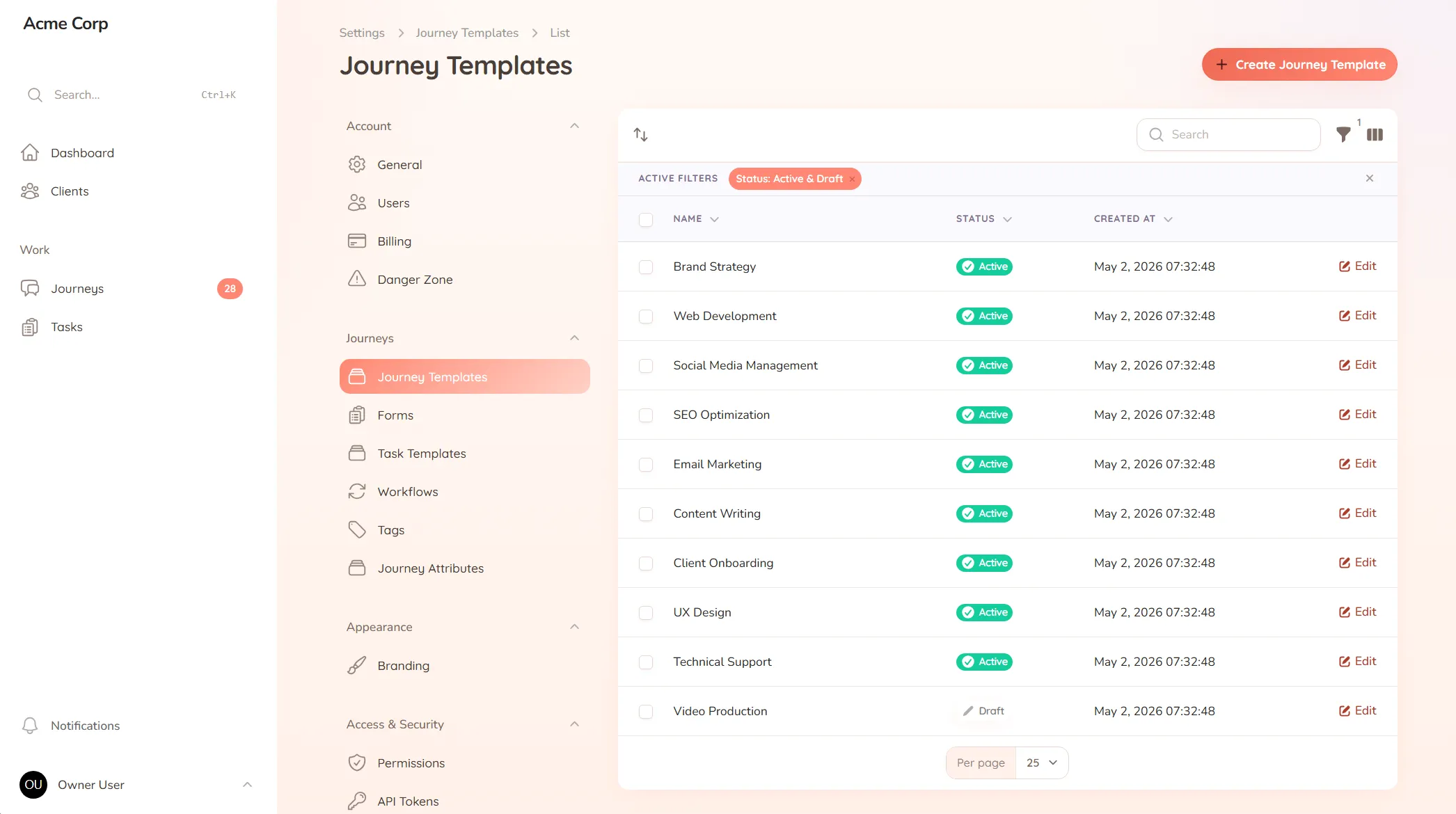
Build your client process once and reuse it for every client — instead of rebuilding the same steps from memory each time.
Build your client process once and reuse it for every client — instead of rebuilding the same steps from memory each time.
Every new client kicks off the same way: you try to remember the steps. Which forms do you send first? What files do you need before the work can start? Who gets the welcome note? You’ve done it dozens of times, but it lives in your head, so each run is a fresh act of recall — and the steps you forget are the ones that come back to bite you a week in.
When the process isn’t written down somewhere it can run, two things happen. New team members can’t onboard a client without you, and your clients each get a slightly different version of your service depending on who set them up and how good their memory was that day.
StellaJourney lets you lay out your client process once and reuse it for every client who comes after.
You can build one template per service, bundle the repeating tasks together, and attach the forms and custom fields you always collect. Need to tweak it for one client? Adjust the steps for that engagement without touching the template behind it.
This isn’t a rigid workflow engine you’ll fight with. It’s structure without the setup — a proven process you pick and reuse — so onboarding runs the same way every time, and nothing falls through the cracks.
Reusable journey blueprints with workflow, intake fields, sort order and starter tasks.
Bundle the tasks that always go together, then drop the bundle onto any journey in one click.
Build standalone forms once, then reuse them as structured task work items everywhere they're needed.
Text, textarea, checkbox, select, date, URL, file, number and rich text fields, composed without a developer.
Define statuses, transitions, defaults and client-safe labels, then let permissions enforce the rules.
New accounts get a getting-started checklist that tracks setup progress and can be restarted later.
You start from your existing process — the steps, forms and files you already ask for — and lay them out once. Most teams have a working template the same day, then refine it as they use it.
Yes. Build a separate template for each service or client type, then pick the right one when you take someone on. One firm might run several side by side.
Update the template, and your next client follows the improved version. Your process gets better over time instead of drifting as people half-remember the old steps.
No. A template is a starting point, not a cage. Adjust the steps for a specific client when you need to — you're adapting a proven process, not building from scratch each time.
A client portal built for marketing agencies
Onboard new accounts, gather briefs and assets, and keep campaign approvals moving — without the email pile-up.
Client portal for accountants
Collect financials and tax documents, onboard new clients, and stop chasing paperwork — one client portal for your firm.
Client portal for MSPs
Onboard new accounts, catch every request, and keep client-facing work organised — one shared space for your MSP and its clients.
Client approval workflow software
Request and track client sign-offs right on the work — instead of hunting for a yes across a dozen email replies.
A client communication tool that keeps context
Keep every client conversation tied to the work it's about — instead of scrolling 40 emails to find the one reply that mattered.
Client onboarding software for service businesses
Give every new client the same clear, structured start — instead of a different scramble every time.
Set up your first journey, invite a client, and see how it feels.