For your industry
Client portal for architects
Collect site briefs, keep design revisions tidy, and get clear sign-offs — one shared space for your practice and its clients.
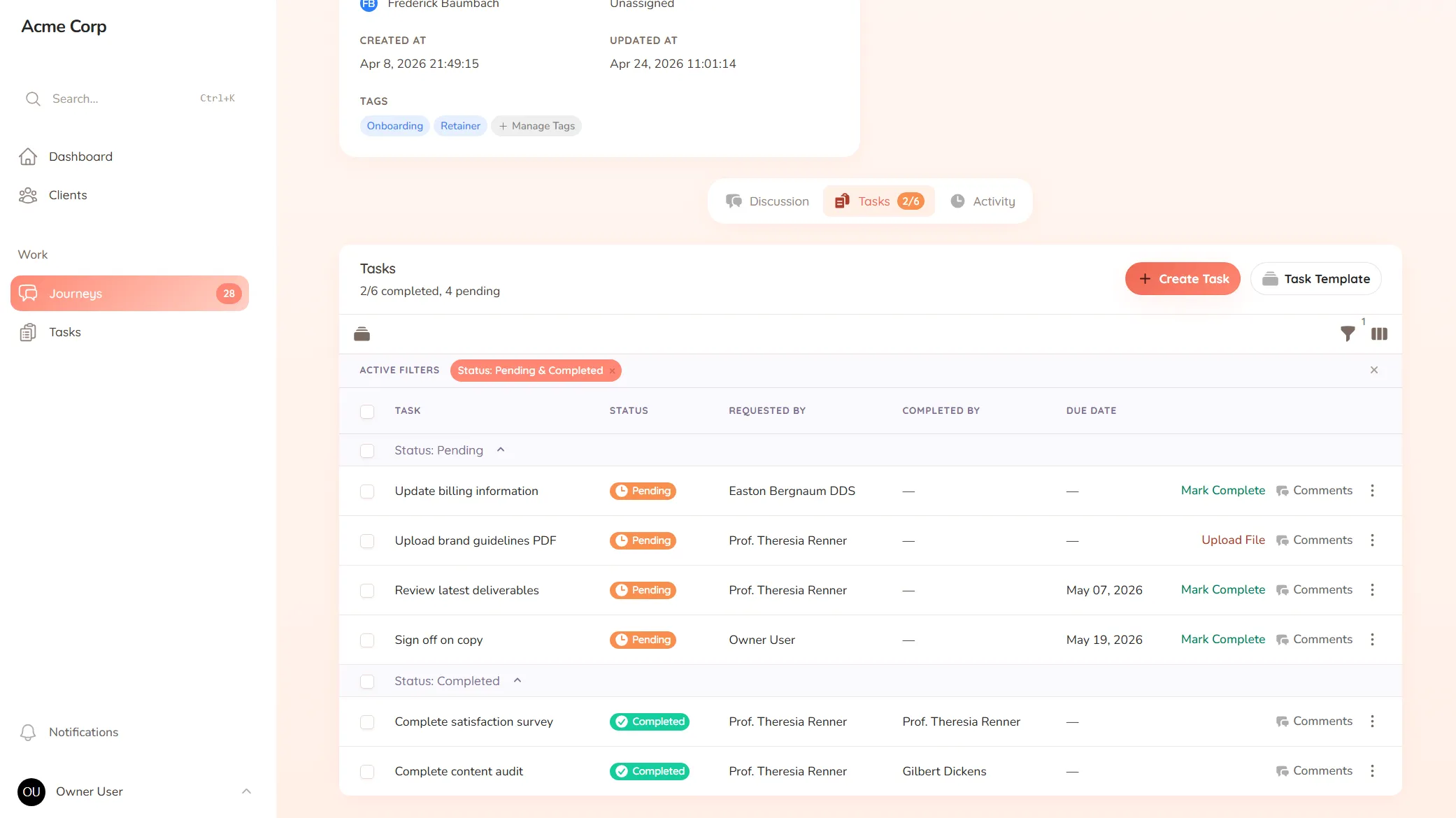
Collect site briefs, keep design revisions tidy, and get clear sign-offs — one shared space for your practice and its clients.
What you onboard
Site briefs, planning requirements, surveys and the constraints and aspirations you need before you can design.
Typical requests
Design revisions, approval sign-offs, material selections and the decisions that move a project from concept to drawings.
You’re well into the detailed drawings when the client mentions the planning restriction they “thought you knew about,” or the budget ceiling that was never written down, or the neighbour’s right of light that changes the whole massing. The brief you designed against turns out to have been incomplete — and now a chunk of considered work has to be unpicked, late, because a key input lived in a conversation instead of on the record.
Architecture moves through stages, each with its own approvals and revisions, over months. When briefs, constraints and sign-offs are spread across email, calls and site notes, a missing input or an unclear approval doesn’t show up until it’s expensive to fix.
StellaJourney gives your practice and each client a client portal where the brief, the revisions and the sign-offs stay on the record, stage by stage.
Clients respond where the work is, with a prompt on each task and a portal branded with your logo. We call each project a journey; to the client it’s simply where their build takes shape.
It’s not CAD or BIM software — it’s the client-facing layer those tools don’t cover, priced flat with no per-seat fees. Briefs come in complete, sign-offs stay on the record, and nothing falls through the cracks.
Clients approve work waiting on sign-off, or send it back with feedback when revisions are needed.
Three task types, simple todo, file upload and structured form, so work is collected in the right shape.
Build standalone forms once, then reuse them as structured task work items everywhere they're needed.
Staff and clients message back and forth inside the journey, with formatting, mentions and notifications built in.
One page that holds details, intake data, files, conversation, tasks and history for every piece of client work.
Every user picks which notifications they get in-app and by email, tailored to their role.
Each approval is requested right on the drawing or proposal, so the client sees exactly what they're approving and responds in one place. You always have a clear record of what was signed off at each stage.
Feedback stays attached to the design it's about, so comments on the concept don't get muddled with comments on the detailed drawings. Each stage keeps its own clear thread.
Yes. Use a form to gather the brief, planning requirements and constraints at the start, so you design against the full picture rather than discovering a requirement halfway through.
Yes. Each project gets its own workspace, so brief, revisions, approvals and conversation for one job stay together from concept through to delivery.
Client approval workflow software
Request and track client sign-offs right on the work — instead of hunting for a yes across a dozen email replies.
Collect files from clients without the chase
Request documents and files with clear prompts and automatic reminders — instead of chasing the same attachment for two weeks.
Client onboarding software for service businesses
Give every new client the same clear, structured start — instead of a different scramble every time.
Client request management for service businesses
Catch every client request in one place — instead of email, Slack and texts you have to stitch together yourself.
Client portal for accountants
Collect financials and tax documents, onboard new clients, and stop chasing paperwork — one client portal for your firm.
Client portal for coaches
Onboard clients, set and track session work, and keep progress in one place — one shared space for your coaching practice.
Client portal for consultants
Onboard engagements, keep deliverables moving, and get clean milestone sign-offs — one shared space for you and your clients.
Set up your first journey, invite a client, and see how it feels.