For your industry
Client portal for graphic designers
Collect briefs and assets, keep revision rounds tidy, and get clean design approvals — one shared space for your studio and its clients.
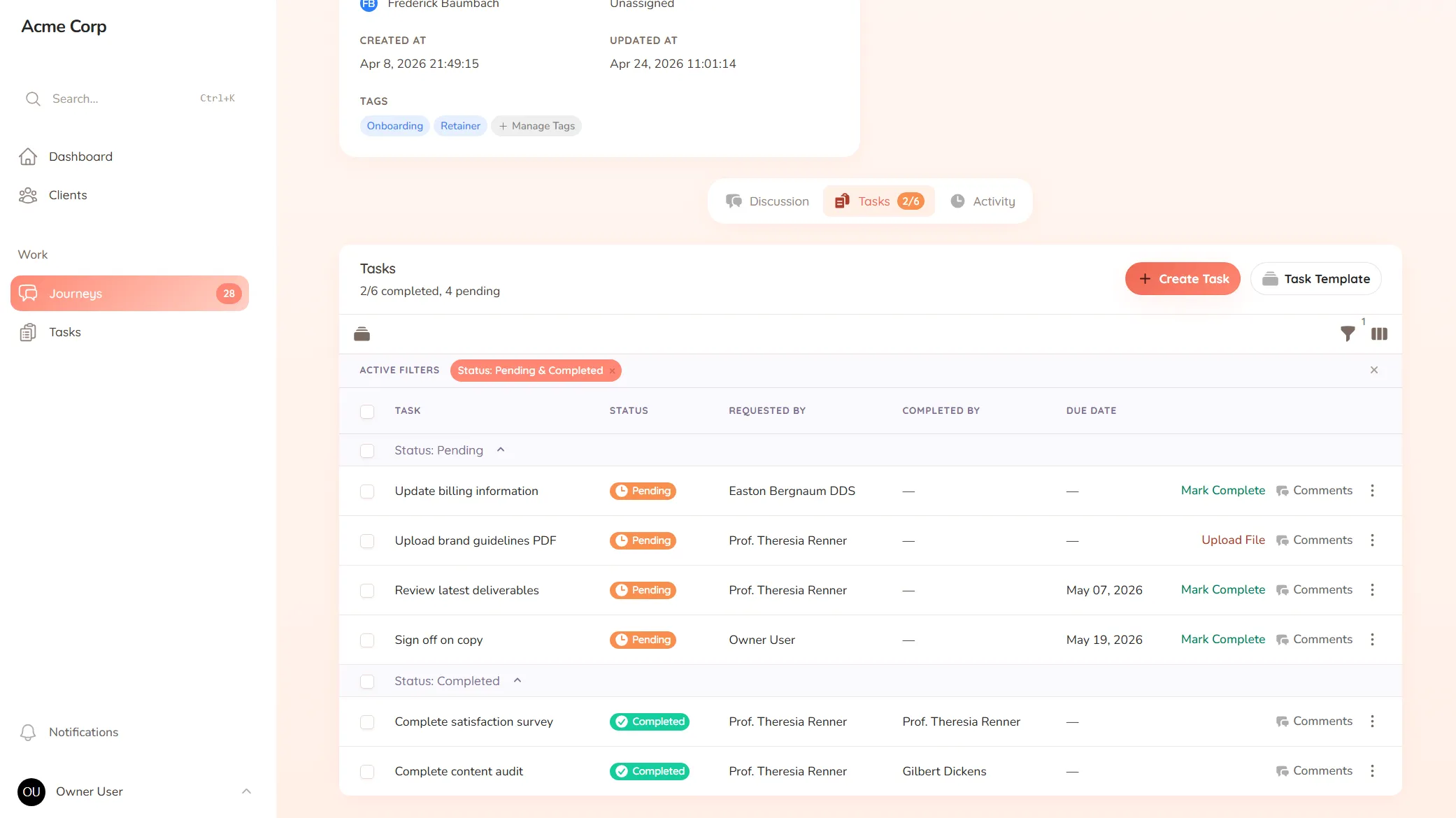
Collect briefs and assets, keep revision rounds tidy, and get clean design approvals — one shared space for your studio and its clients.
What you onboard
Brand guidelines, project briefs, logos, fonts and the reference material you need before you can start designing.
Typical requests
Revision requests, design approvals, feedback rounds and the "can we see one more version" asks that pile up.
You’re three rounds into a logo and the client’s notes are scattered: a few on email, a couple as marked-up screenshots, one as “I’ll know it when I see it” on a call. You’re not sure which comments apply to which version anymore, so you guess — and produce a round five that misses the point, because the point was buried in a thread you can’t fully reconstruct.
Design work is iterative by nature, and that’s exactly why loose feedback hurts. When comments aren’t attached to the artwork they’re about, every revision round multiplies the confusion, and a quick project turns into a long one.
StellaJourney gives your studio and each client a client portal where briefs, feedback and approvals stay attached to the work.
Clients respond where the work is, with a prompt on each task — no hunting through their inbox, no marked-up screenshots to decode. The portal is branded with your logo, so it feels like part of the studio.
It’s not a stock-photo library or a heavyweight proofing suite — it’s the shared space that keeps briefs, feedback and sign-offs in one place, priced flat with no per-seat fees. Revision rounds stay clear, approvals come clean, and nothing falls through the cracks.
Clients approve work waiting on sign-off, or send it back with feedback when revisions are needed.
Three task types, simple todo, file upload and structured form, so work is collected in the right shape.
Build standalone forms once, then reuse them as structured task work items everywhere they're needed.
Staff and clients message back and forth inside the journey, with formatting, mentions and notifications built in.
Upload your logo so the client portal is branded with your mark.
Every user picks which notifications they get in-app and by email, tailored to their role.
Each sign-off is requested right on the design, so the client sees exactly what they're approving and responds in one place. You always know which pieces are approved and which are still with the client.
Feedback stays attached to the design it's about, so round three doesn't get mixed up with round one. The comments and the artwork they refer to are kept together.
Yes. Use a form to gather the brief, brand guidelines and references up front, so you start with what you need instead of designing on guesswork and reworking later.
Yes. Clients log into a space branded with your logo, so the experience feels like part of your studio, not a third-party tool.
Client approval workflow software
Request and track client sign-offs right on the work — instead of hunting for a yes across a dozen email replies.
Collect files from clients without the chase
Request documents and files with clear prompts and automatic reminders — instead of chasing the same attachment for two weeks.
Client onboarding software for service businesses
Give every new client the same clear, structured start — instead of a different scramble every time.
Client request management for service businesses
Catch every client request in one place — instead of email, Slack and texts you have to stitch together yourself.
Client portal for accountants
Collect financials and tax documents, onboard new clients, and stop chasing paperwork — one client portal for your firm.
Client portal for architects
Collect site briefs, keep design revisions tidy, and get clear sign-offs — one shared space for your practice and its clients.
Client portal for coaches
Onboard clients, set and track session work, and keep progress in one place — one shared space for your coaching practice.
Set up your first journey, invite a client, and see how it feels.