For your industry
Client portal for photographers
Onboard shoots, collect proof selections, and get edit approvals — one shared space for your photography or video studio.
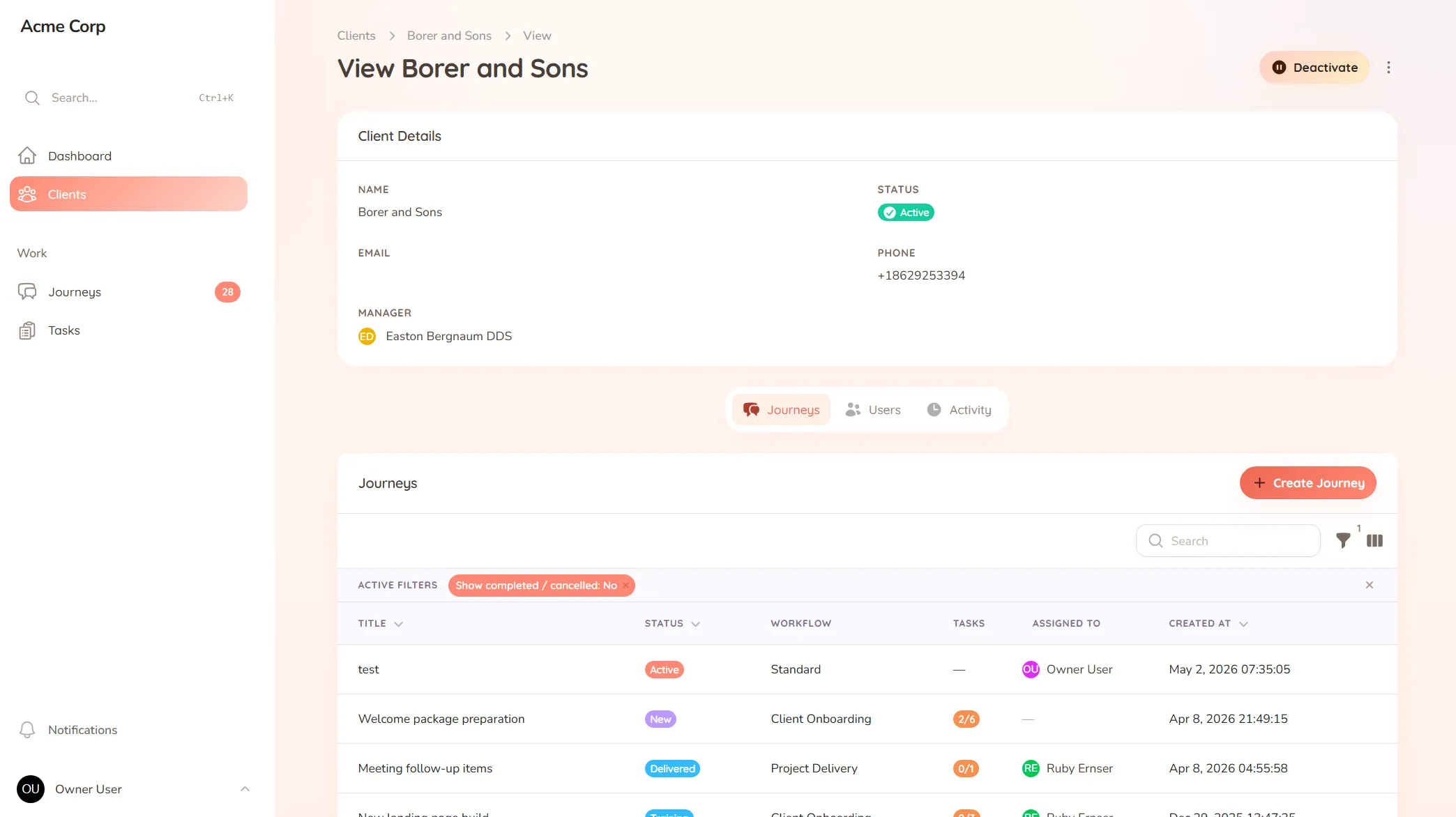
Onboard shoots, collect proof selections, and get edit approvals — one shared space for your photography or video studio.
What you onboard
Shoot briefs, location details, shot lists and the preferences you need before the camera comes out.
Typical requests
Proof selections, editing requests, revision rounds and the "can you tweak this one" asks after delivery.
The gallery’s delivered and the client’s selections come back as a trickle: a few file numbers in one email, “and also the one by the window” in another, a verbal note on a call about the group shot. You’re piecing together their final selection from three places, second-guessing which “the third one” they meant, and the edit you deliver includes a shot they didn’t want and misses one they did.
Photography and video work hinges on selections and approvals — which shots, which edits, signed off — and that’s exactly the part that gets messy when it lives in email. Vague references and scattered notes turn a creative handover into an admin headache, right at the moment the client should feel looked after.
StellaJourney gives your studio and each client a client portal where briefs, selections and approvals stay clear and in one place.
Clients respond where the work is, with a prompt on each task and a portal branded with your logo. We call each shoot a journey; to the client it’s just where their photos and selections live.
It’s not a gallery-hosting or editing tool — it’s the client-facing layer around your shoots, priced flat with no per-seat fees. Selections come in clear, approvals come clean, and nothing falls through the cracks.
Three task types, simple todo, file upload and structured form, so work is collected in the right shape.
Clients approve work waiting on sign-off, or send it back with feedback when revisions are needed.
Build standalone forms once, then reuse them as structured task work items everywhere they're needed.
Upload your logo so the client portal is branded with your mark.
Every user picks which notifications they get in-app and by email, tailored to their role.
Clients are invited in and land in the right portal, whether they're a brand-new user or an existing one.
Selections and edit requests come in as clear tasks, so the client tells you exactly which shots they want and what to change in one place — instead of a long email listing file numbers you have to cross-reference.
The final edit is sent for sign-off, so the client confirms they're happy before you call it done. You always know which images are approved and which are still in revision.
Yes. Use a form to gather the shot list, locations and preferences before the shoot, so you turn up knowing exactly what the client wants rather than improvising and reshooting.
Yes. Clients log into a space branded with your logo, so the experience feels like part of your studio rather than a generic file-sharing link.
Collect files from clients without the chase
Request documents and files with clear prompts and automatic reminders — instead of chasing the same attachment for two weeks.
Client approval workflow software
Request and track client sign-offs right on the work — instead of hunting for a yes across a dozen email replies.
Client onboarding software for service businesses
Give every new client the same clear, structured start — instead of a different scramble every time.
Client request management for service businesses
Catch every client request in one place — instead of email, Slack and texts you have to stitch together yourself.
Client portal for accountants
Collect financials and tax documents, onboard new clients, and stop chasing paperwork — one client portal for your firm.
Client portal for architects
Collect site briefs, keep design revisions tidy, and get clear sign-offs — one shared space for your practice and its clients.
Client portal for coaches
Onboard clients, set and track session work, and keep progress in one place — one shared space for your coaching practice.
Set up your first journey, invite a client, and see how it feels.