For your industry
Client portal for social media agencies
Onboard clients, get content approved on time, and keep access and reporting in one place — one shared space for your agency.
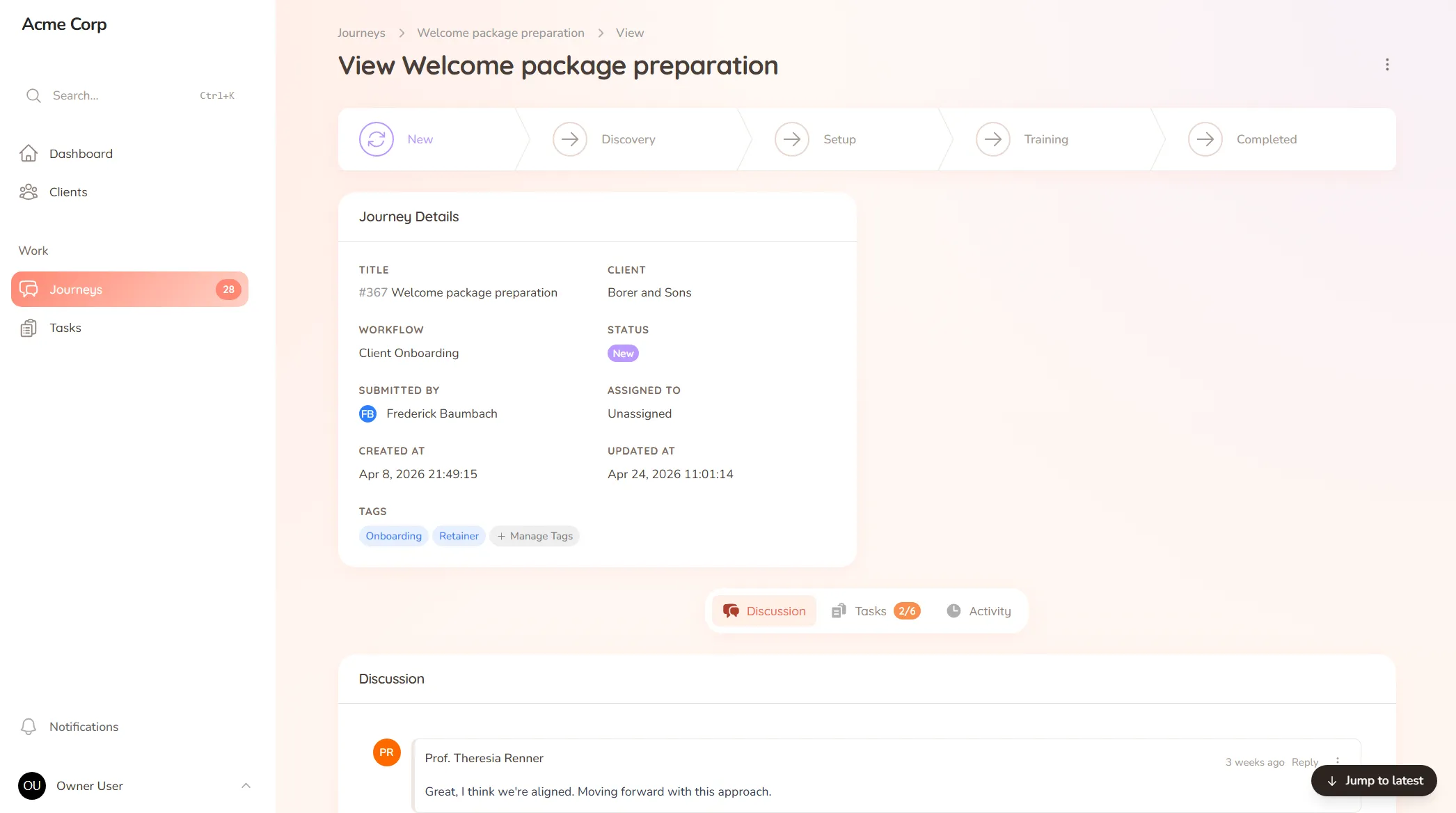
Onboard clients, get content approved on time, and keep access and reporting in one place — one shared space for your agency.
What you onboard
Brand voice, access credentials, content pillars and the guidelines you need before you can post or optimise.
Typical requests
Content approvals, post scheduling sign-offs, reporting requests and the "can we boost this one" asks.
The content calendar said this post goes out at nine. Approval was sitting with the client, who got to it at half ten — by which point the moment had passed, or you’d already chased them twice, or you posted on faith and hoped it was fine. Social moves on a schedule, and an approval stuck in someone’s inbox doesn’t just delay a post; it breaks the rhythm the whole strategy depends on.
Social and SEO work is high-volume and time-sensitive: a steady stream of content needing sign-off, access that has to be collected securely, and reports the client always wants. When approvals and requests live in email and comments, content slips its slot and the back-and-forth never ends.
StellaJourney gives your agency and each client a client portal where approvals move on time and access lives in one place.
Clients see exactly what needs approval, with a prompt on each item and a portal branded with your logo. We call each engagement a journey; to the client it’s just where your work together happens.
It’s not a scheduler or an analytics suite — it’s the client-facing layer those tools don’t cover, priced flat with no per-seat fees. Content gets approved on time, access stays organised, and nothing falls through the cracks.
Clients approve work waiting on sign-off, or send it back with feedback when revisions are needed.
Reusable journey blueprints with workflow, intake fields, sort order and starter tasks.
Build standalone forms once, then reuse them as structured task work items everywhere they're needed.
Staff and clients message back and forth inside the journey, with formatting, mentions and notifications built in.
Upload your logo so the client portal is branded with your mark.
Every user picks which notifications they get in-app and by email, tailored to their role.
Each post or batch is sent for sign-off right on the content, so the client sees exactly what they're approving and responds in one place. You know what's cleared to schedule and what's still waiting, before the posting date.
Access details are requested as clear tasks in the client's portal rather than sent loose over email, so onboarding a new account's credentials is structured instead of scattered across inboxes.
Clients submit them from their portal, so every request lands in one place with context attached, instead of arriving as a comment on a post and a separate "did you see my message?".
Yes. Build account onboarding once — brand voice, pillars, access, guidelines — as a template, and run it for every client, so no setup detail gets missed.
Client approval workflow software
Request and track client sign-offs right on the work — instead of hunting for a yes across a dozen email replies.
Client onboarding software for service businesses
Give every new client the same clear, structured start — instead of a different scramble every time.
Client request management for service businesses
Catch every client request in one place — instead of email, Slack and texts you have to stitch together yourself.
A client communication tool that keeps context
Keep every client conversation tied to the work it's about — instead of scrolling 40 emails to find the one reply that mattered.
Client portal for accountants
Collect financials and tax documents, onboard new clients, and stop chasing paperwork — one client portal for your firm.
Client portal for architects
Collect site briefs, keep design revisions tidy, and get clear sign-offs — one shared space for your practice and its clients.
Client portal for coaches
Onboard clients, set and track session work, and keep progress in one place — one shared space for your coaching practice.
Set up your first journey, invite a client, and see how it feels.