Use case
Client task management for service teams
Track every task on both sides of the client relationship — so you always know what's done, what's pending, and who's waiting on who.
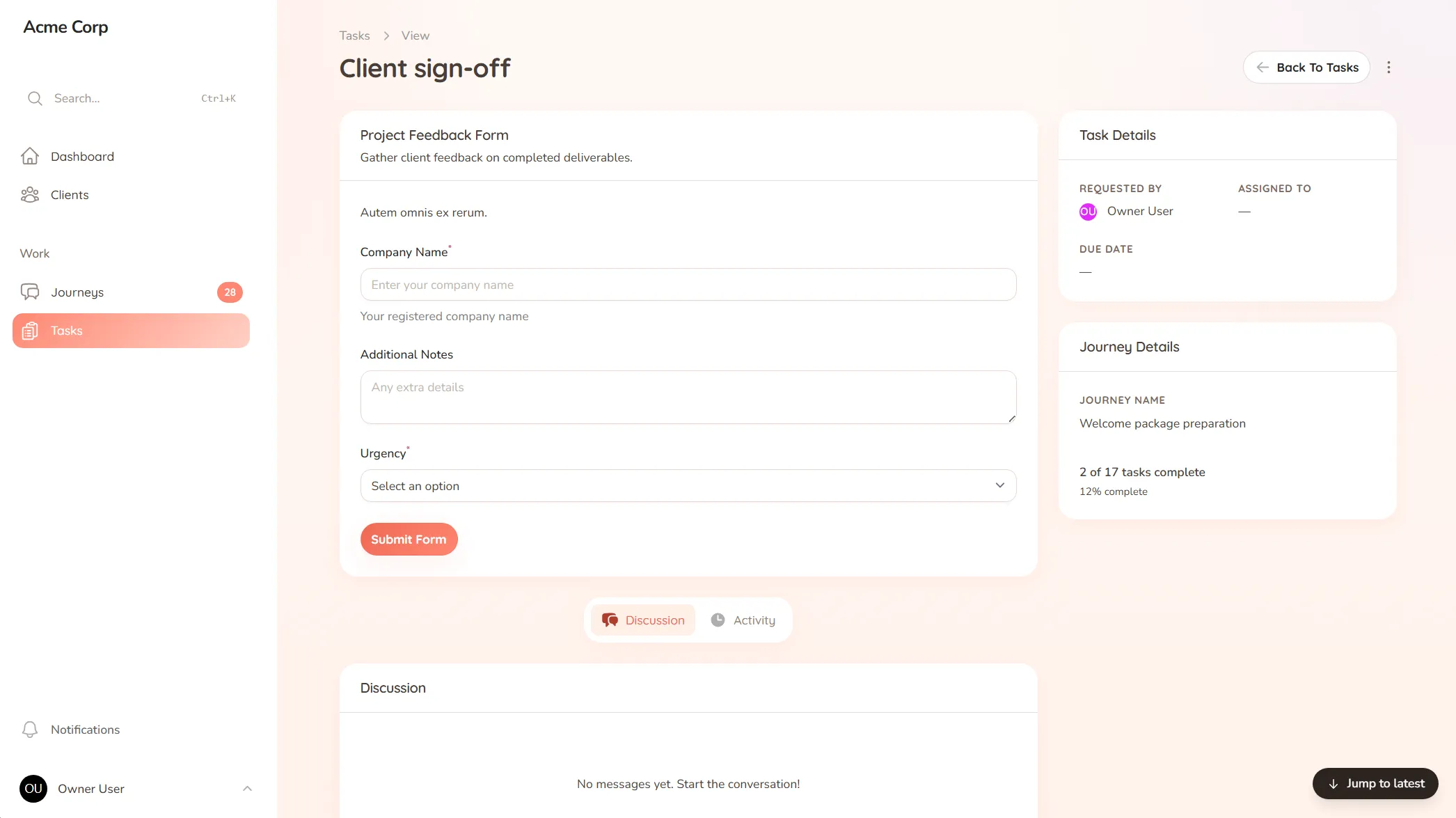
Track every task on both sides of the client relationship — so you always know what's done, what's pending, and who's waiting on who.
You’re three clients deep into the week and the question keeps coming up: is this one waiting on me, or on them? Half your tasks live in your own head, half live in the client’s, and there’s no single place that shows both. So you guess, you double-check, and sometimes two things sit untouched because each side thought the other was handling it.
Internal task tools don’t solve this — they’re built for your team, with clients awkwardly tacked on. The work that actually moves a client engagement forward happens between you and them, and that’s exactly the part those tools leave out.
StellaJourney tracks tasks on both sides of the relationship in one place, so the question of whose turn it is answers itself.
Tasks can be a simple to-do, a file request, or a form — we call them task submissions, but the client just sees a clear thing to do. Nothing depends on a status meeting, because the status is always on the screen.
This isn’t an internal project board and it isn’t a CRM. It’s the shared workspace between you and your clients — so the work keeps moving, and nothing falls through the cracks.
Three task types, simple todo, file upload and structured form, so work is collected in the right shape.
Every task across every journey, grouped, filtered, sorted by priority and due date.
Clients complete todos, upload requested files, and submit form-based tasks in one portal.
Stale or unassigned work bubbles up automatically, so nothing slips through the cracks.
Every user picks which notifications they get in-app and by email, tailored to their role.
One page that holds details, intake data, files, conversation, tasks and history for every piece of client work.
Asana and Monday are built for your internal team, with clients bolted on. StellaJourney is the shared space between you and your clients — tasks both sides can see and act on, not an internal board you have to keep clients out of.
Yes. Some tasks sit with your team, some sit with the client, and both sides see the same picture — so it's always clear whose turn it is to move.
Tasks across every client gather in one inbox, with the overdue and incoming ones surfaced first. You start from a clear list instead of trying to remember where everything stands.
No. A client sees their open tasks with a prompt on each one, so they know what's expected without a tutorial. If they can use email, they can do this.
Client portal for consultants
Onboard engagements, keep deliverables moving, and get clean milestone sign-offs — one shared space for you and your clients.
Client portal for coaches
Onboard clients, set and track session work, and keep progress in one place — one shared space for your coaching practice.
Client portal for recruitment agencies
Onboard clients, capture job specs, and keep candidate feedback moving — one shared space for your agency and its clients.
Client approval workflow software
Request and track client sign-offs right on the work — instead of hunting for a yes across a dozen email replies.
A client communication tool that keeps context
Keep every client conversation tied to the work it's about — instead of scrolling 40 emails to find the one reply that mattered.
Client onboarding software for service businesses
Give every new client the same clear, structured start — instead of a different scramble every time.
Set up your first journey, invite a client, and see how it feels.